Visitors
Inspect visitor journeys, acquisition sources, activity, and attributed revenue.
The Visitors report groups multiple visits that Talivia can associate with the same visitor into one profile. Instead of treating every session as a separate person, the report combines visits, page views, custom events, acquisition context, tracker parameters, and attributed payments into one journey.
Visitor list
Open Visitors from a website to see recent visitor profiles. Each row includes the visitor label, visit and event totals, acquisition source, attributed spend, and recent activity. Search filters the visitor list, and the full report provides paging through older profiles.
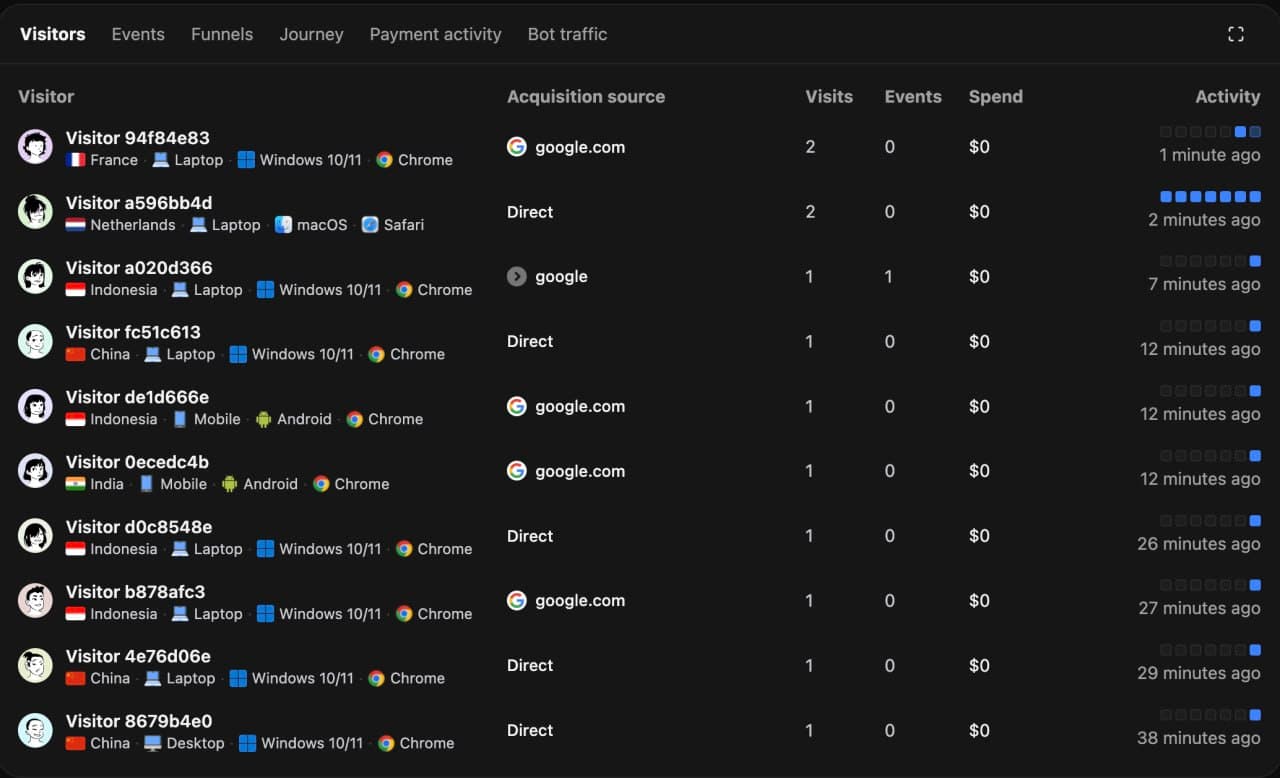
Acquisition source is the earliest known source for the visitor. When the most recent visit came from a different source, Talivia shows that latest session source beneath it. This keeps the original acquisition context visible without hiding how the visitor returned.
Open the full Visitors report. Select the expand icon in the upper-right corner of the Visitors panel. Select any visitor to inspect the complete profile.
Visitor profile
The profile starts with totals for visits, views, events, attributed spend, and average visit duration. It can also show:
- The visitor ID or a legacy session ID when no visitor record is available.
- A Distinct ID created with
identify. - Linked payment customers and providers.
- First seen, last seen, acquisition source, and latest session source.
- Browser, operating system, device, screen, country, region, and city from the latest visit.
- A long-term activity heatmap.
Journey activity
The Activity tab combines the visitor's associated visits into one timeline. Talivia adds an arrival marker for each visit so that the entry host, referrer, landing page, and recognized campaign parameters remain visible alongside page views, custom events, and attributed payments.
The Properties tab shows the latest known value for each collected property across the visitor's associated visits.
Sessions and attribution
Talivia still creates an opaque session ID for each visit. Integrations such as Stripe and the Manual Payment API pass that ID as an attribution signal because it identifies the checkout visit precisely. The interface then presents the matched payment inside the visitor profile and rolls its value into the visitor's spend.
A payment linked to a visitor but not to one specific session can still open the visitor profile. Payments without either match remain visible as unattributed.
Sorting
Activity can be viewed oldest-first or newest-first. Use oldest-first to follow the journey in the order the visitor experienced it, including each return visit.