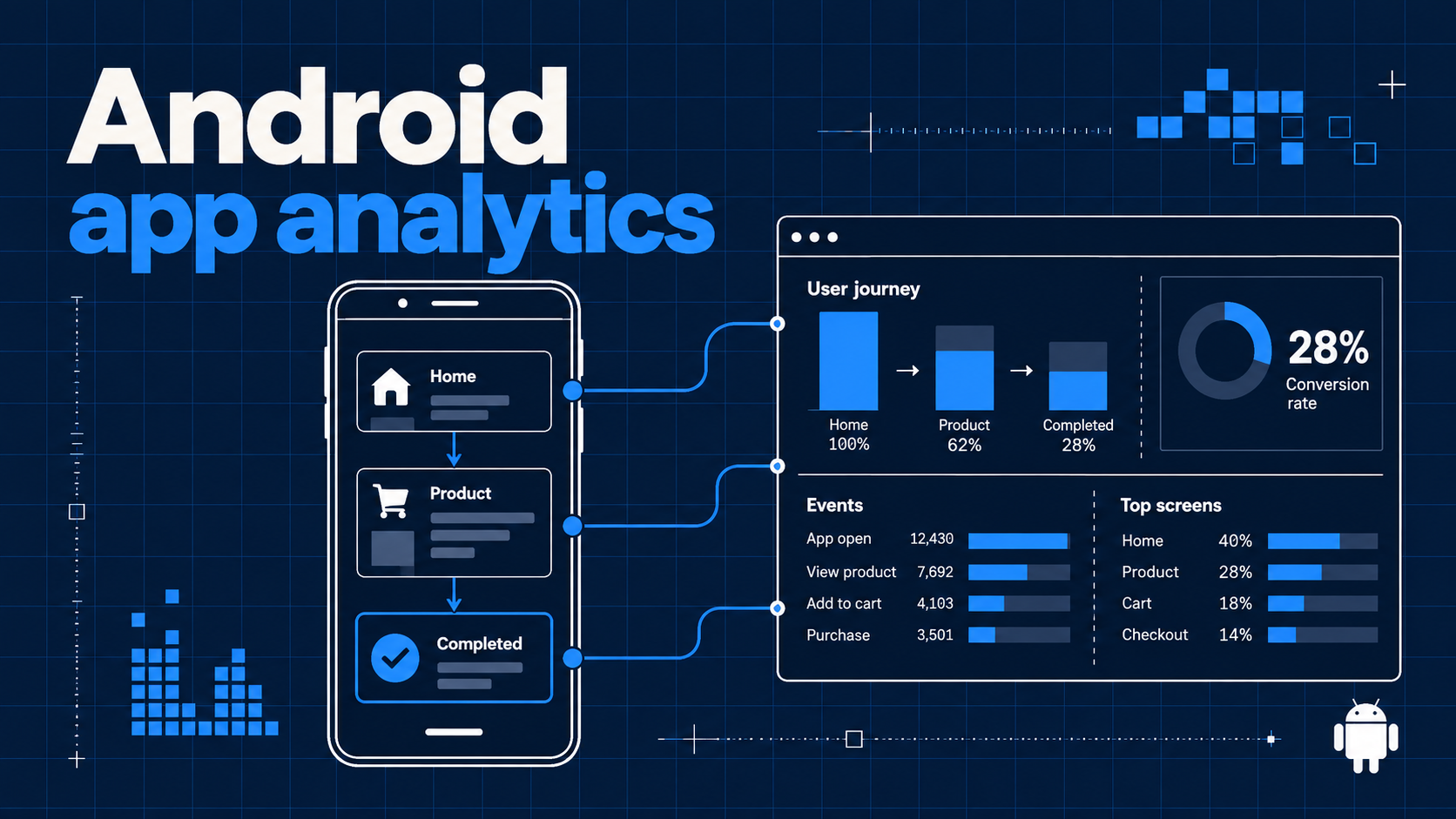
An Android download is a distribution result, not proof that someone reached value in your app. A crash report helps you find broken code, but it cannot tell you whether a new user finished setup, returned to the core feature, or completed an important task. Android app analytics should connect navigation to confirmed outcomes while keeping those different signals distinct.
Talivia has a native Kotlin Android SDK in preparation. Its source already implements screen views, custom events, sessions, and known user identification against the existing Talivia collector. The Maven Central artifact is not published yet; do not add com.talivia:talivia-android as a remote Gradle dependency. This guide is a practical instrumentation plan and an API preview, not a claim that an installable Android release is available today. Check the Android SDK documentation for release status before adding the dependency to a production app.
Begin with a product question, not an event dump
Choose one question that could change a decision. In a shopping app, that might be whether people who open a product page complete a successful order. In a learning app, ask whether a new learner finishes the first lesson and returns the next week. In a B2B app, find out whether a new workspace reaches its first useful report. A long list of taps rarely answers these questions on its own.
Write a short measurement plan with three columns: the screen the person reached, the outcome the app confirmed, and the user state at that moment. Record a screen when navigation makes a meaningful destination visible. Record a product event when the underlying operation succeeds, not when a button is pressed. Identify an account only after the authentication flow confirms it. This plan gives each signal a clear meaning when a teammate opens a session later.
| Product question | Signal | Example |
|---|---|---|
| Did the user find the feature? | Screen view | Home, then Product/Detail |
| Did setup actually finish? | Confirmed event | onboarding_completed |
| Did the person return? | Session plus later action | report_shared in a later session |
| Which signed-in account acted? | Stable account ID | Your own user ID after login |
Agree on event names and triggers with product and engineering before release. If a network retry or double tap can repeat an action, decide whether the event means an attempt or a single confirmed result. Keep names stable as the UI changes. The mobile app analytics overview describes how this plan fits across platforms.
Understand the Android SDK availability
The Kotlin source lives in Talivia's separate Android package directory. It is a draft SDK, with the com.talivia publishing namespace prepared, but no Maven Central release. A verified namespace is only one release step. The Android build, device validation, signing, upload, and release checks still need to be completed. Do not copy an anticipated Gradle coordinate into your app and assume dependency resolution will work.
The current source expects an Android Context, a Talivia Website ID in UUID form, and a hostname containing your website domain without a scheme or path. It sends to Talivia's /api/send collector, by default at https://talivia.com. App events use paths under /__app/android/, so the same collector can distinguish a native screen from an ordinary website page. Your app should create the client only when the user's privacy and consent settings permit analytics collection.
Here is the current source API as a preview, suitable for planning integration or trying a local module checkout. It is not a published installation command:
val analytics = Talivia(
    context = applicationContext,
    websiteId = "YOUR_WEBSITE_UUID",
    hostname = "your-site.com",
)

analytics.screen("Home")
analytics.track("onboarding_completed", mapOf("path" to "guided"))
analytics.identify(account.id)
// After logout succeeds: analytics.reset()
The hostname and Website ID should match the website tracker if you want activity in the same Talivia workspace. Use an environment-specific Website ID if your staging app must stay out of production reports. The Android analytics product page and documentation should be your installation references when the SDK is released. For a mobile SDK that is already distributed, compare the React Native guide, Flutter guide, or Swift guide rather than assuming the Android package has the same release status.
Place screen tracking at real navigation boundaries
In Jetpack Compose, recomposition can run frequently without a new screen becoming visible. In a Navigation Component app, destinations can be restored or revisited. Instrument the navigation boundary your team considers a screen transition; do not put screen() in an arbitrary composable body where every recomposition could emit another view. For a Fragment or Activity flow, choose a lifecycle point and verify that reopening a view does not create accidental duplicates.
A small navigation observer can map routes to durable analytics names. Use names like Home, Product/Detail, and Checkout/Review. Avoid inserting a customer ID, search phrase, email address, or raw dynamic route segment into a screen name. Talivia turns a screen name into an app path under /__app/android/, and stable names keep reports readable when many product records exist. The SDK URL-encodes path segments, but encoding alone does not make sensitive data suitable for analytics.
analytics.screen("Product/Detail")
analytics.screen("Checkout/Review")
The SDK currently remembers the most recent screen for later events. That gives a custom event context in a session timeline, provided the app sends a screen view at the right transition. Test tab changes, deep links, back navigation, and process restoration on a real device. The session activity view helps you inspect the order received by Talivia. If a screen fires twice, fix the instrumentation rather than interpreting the extra view as a second visit.
Record business events after success
The Android API exposes track(name, data) for custom events. Use it when the app knows the business action completed. If an API call creates a workspace, emit workspace_created after the server confirms creation. If a user taps “Pay” and the request fails, do not emit purchase_completed. The event should describe the observed result, not the hoped-for result of a tap.
analytics.track(
    "first_report_created",
    mapOf("report_type" to "weekly"),
)
The current source accepts event names from 1 to 50 characters and serializes optional properties as JSON. Keep properties small and tied to a decision: feature category, experiment variant, or a non-sensitive plan label can be useful. Avoid access tokens, payment data, email addresses, free-form user text, and secrets. If the same milestone is tracked on your website, choose one business event name for both surfaces so the reports remain understandable. The event tracking documentation provides a starting point for event design.
Client-side purchase events are especially easy to overread. An Android app can report that a checkout screen opened or that its own purchase flow returned success, but the phone is not a trusted source of subscription or revenue authority. Verified purchase, refund, renewal, and entitlement records belong in a server-side integration. Read the revenue attribution guide with that distinction in mind: an event can explain intent or a user journey without proving booked revenue.
Identify signed-in users and reset on logout
A mobile installation begins with an anonymous visitor token. After login succeeds, call identify() with a stable internal account ID that your application controls. If the same person uses your website, consistent IDs can link known identity records in Talivia. Avoid using an email address as the ID when a stable opaque account identifier is available. The SDK stores the user ID, visitor ID, session ID, and current screen in Android shared preferences.
analytics.identify(account.id)
// Once the account has logged out:
analytics.reset()
Call reset() after logout so a second person using a shared phone does not inherit the first person's anonymous visitor and session. Reset rotates both IDs, clears the known user and the pending in-memory queue, and starts a fresh session state. Place it in your actual logout path, including a sign-out triggered by account removal. If your product supports switching accounts without an intermediate login screen, still separate the old identity before identifying the new account.
The current Android SDK rotates sessions after 30 minutes of inactivity. A session is therefore an activity grouping, not a promise that the app stayed open continuously. More importantly, Talivia's current funnel reporting groups by visitor token. A shared account ID may link known user records across web and app, but it does not automatically merge browser and Android visitor tokens into one cross-device funnel. State whether a chart counts visitors, sessions, identified accounts, or completed events before drawing a conclusion. See the mobile analytics documentation for the current identity boundary.
Account for delivery, privacy, and attribution limits
The Android SDK schedules network delivery on a worker thread, so a call to track() does not wait for a round trip on the UI thread. It uses a queue capped at 100 messages and retries transient failures when a later event or flush() triggers delivery. This queue is in memory. If the app process exits while offline, pending messages can be lost. It is not a durable offline event store or a guarantee that every event will arrive. A permanently rejected request can also be dropped.
Test an ordinary journey and a failure journey: lose connectivity, record a screen and action, reconnect, call flush(), and check what appears. Also test a cold start after process termination so the team understands the missing-event case. Use these results when interpreting a sudden drop in activity; a delivery gap and a product behavior change can look similar in a chart. For decisions that require financial completeness, use authoritative server records rather than a client queue.
Android app analytics also does not automatically provide install attribution, ad-network campaign truth, or verified Google Play purchases. Those need separate trusted integrations and appropriate consent handling. Decide what data your app is allowed to collect in each market and how that choice interacts with its privacy controls. Keep your analytics event plan proportional: a useful journey can often be measured without collecting personal content or every touch gesture.
Validate one journey before scaling instrumentation
When the package is released, add it by following the then-current Android installation documentation, not an untested coordinate copied from this article. In a test app, use a dedicated Website ID, open Home, navigate to Product/Detail, complete one real action, sign in, and log out. Check the order and properties in Talivia's session view. Repeat for a failed action: there should be no success event. Repeat with a different account on the same device: after reset(), the new activity should have a new visitor token.
Then compare what each report actually counts. Screen views show navigation, events show confirmed app actions, sessions group nearby activity, and identified users provide an account link. They answer related but different questions. Keep a short ownership list for every event, including the code path that emits it and the business definition behind it. Review that list when a feature changes. If the app also has a web experience, test each surface independently before interpreting combined workspace data.
This measured rollout is more useful than collecting everything on day one. It gives your team a reliable first journey, exposes duplicate navigation calls and offline gaps early, and creates a clear path for later events. Talivia can receive the Android signals through the shared collector once the native package is released. Until then, treat the Kotlin source and this article as a preparation guide, and use the mobile app analytics overview to compare the available SDK paths.